Nutritional Label Generator
Generate FDA-style nutrition facts labels for food products with customizable serving sizes, calories, macronutrients, vitamins, and minerals. Download as image or print.
Input
Output
Screenshots
Readme
What is a nutrition facts label?
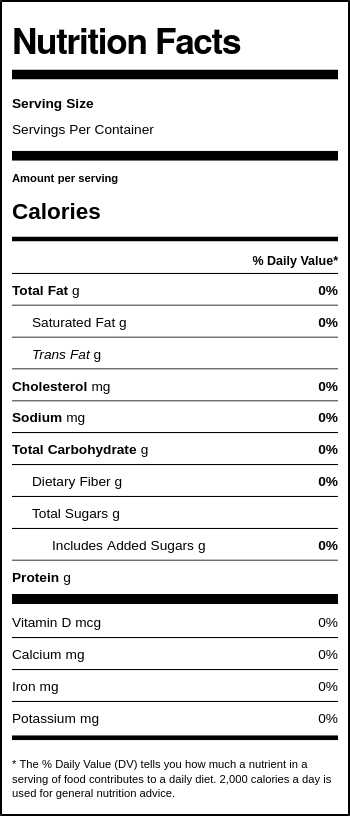
A nutrition facts label is a standardized panel found on packaged food and beverages that provides detailed information about the nutritional content per serving. In the United States, the Food and Drug Administration (FDA) requires these labels on most packaged foods to help consumers make informed dietary choices.
The modern nutrition facts label format was updated by the FDA in 2016 and fully implemented by 2020. It features a bold calorie count, updated serving sizes that reflect realistic portions, and new requirements for declaring added sugars, vitamin D, and potassium. The label also displays Daily Value percentages, which show how much a nutrient in one serving contributes to a daily diet based on 2,000 calories.
Tool description
This generator creates authentic-looking FDA-style nutrition facts labels that you can customize with your own nutritional data. Simply enter the values for each nutrient, and the tool automatically calculates the Daily Value percentages based on FDA guidelines. The generated label can be downloaded as an image, exported as HTML, or printed directly.
Examples
Input values:
- Serving Size: 1 cup (228g)
- Calories: 250
- Total Fat: 12g
- Sodium: 470mg
- Total Carbohydrate: 31g
- Protein: 5g
Output: A professionally formatted nutrition facts label with all values displayed in the standard FDA format, including automatically calculated Daily Value percentages (e.g., Total Fat 12g = 15% DV).
Features
- Automatic Daily Value calculation — Percentages are computed instantly based on FDA 2,000-calorie reference diet
- Complete nutrient coverage — Includes all required FDA label fields: fats, cholesterol, sodium, carbohydrates, protein, vitamins, and minerals
- Multiple export options — Download as PNG image, export as HTML file, or print directly from browser
- Real-time preview — See your label update instantly as you enter nutritional information
- Authentic FDA styling — Generates labels that match the official 2016 FDA nutrition facts format
Use cases
- Food entrepreneurs and small businesses creating nutrition labels for homemade or artisanal products before sending samples to a certified lab for official testing
- Educators and students learning about nutrition science, food labeling requirements, or dietary analysis in health and culinary courses
- Recipe developers and food bloggers generating visual nutrition information to accompany their recipes for reader reference
Supported nutrients
| Category | Nutrients |
|---|---|
| Serving Info | Serving size, Servings per container |
| Energy | Calories, Calories from fat |
| Fats | Total fat, Saturated fat, Trans fat |
| Other | Cholesterol, Sodium |
| Carbohydrates | Total carbohydrate, Dietary fiber, Total sugars, Added sugars |
| Protein | Protein |
| Vitamins & Minerals | Vitamin D, Calcium, Iron, Potassium |
Export formats
- PNG Image — High-quality raster image suitable for print materials, websites, or product mockups
- HTML File — Standalone HTML document with embedded styles, ideal for web integration or further customization
- Print — Direct browser printing for immediate physical copies
Limitations
- This tool generates labels for visual and educational purposes only. Official food products sold commercially require laboratory testing and compliance with FDA or local regulatory requirements.
- The label follows the US FDA format. Other countries (EU, Canada, Australia) have different labeling standards and formats.
- Trans fat and total sugars do not have established Daily Values, so no percentage is displayed for these nutrients (per FDA guidelines).
Tips
- Use realistic serving sizes that match how people actually consume the food, not artificially small portions
- Enter "0" for nutrients that are not present rather than leaving fields blank for a complete label
- The "Calories from Fat" field is optional in the current FDA format but can be included for additional detail
- When creating labels for recipes, calculate nutritional values per serving by dividing total recipe nutrition by the number of servings